Run the whole security team from one place.

Scheduling, incidents, the watchlist and training records, for the person who builds the schedule and answers for Sunday’s coverage.

The Schedule screen in the ChurchSecurityPlanner app

Schedule

No more missed shifts

Volunteers set their availability, you build the schedule, and conflict detection catches double-bookings before Sunday morning does.

  • A visual calendar shows every event, shift and assignment.
  • Team presets fill a whole group at once.
  • Conflict detection flags a double-booking while you build the schedule.
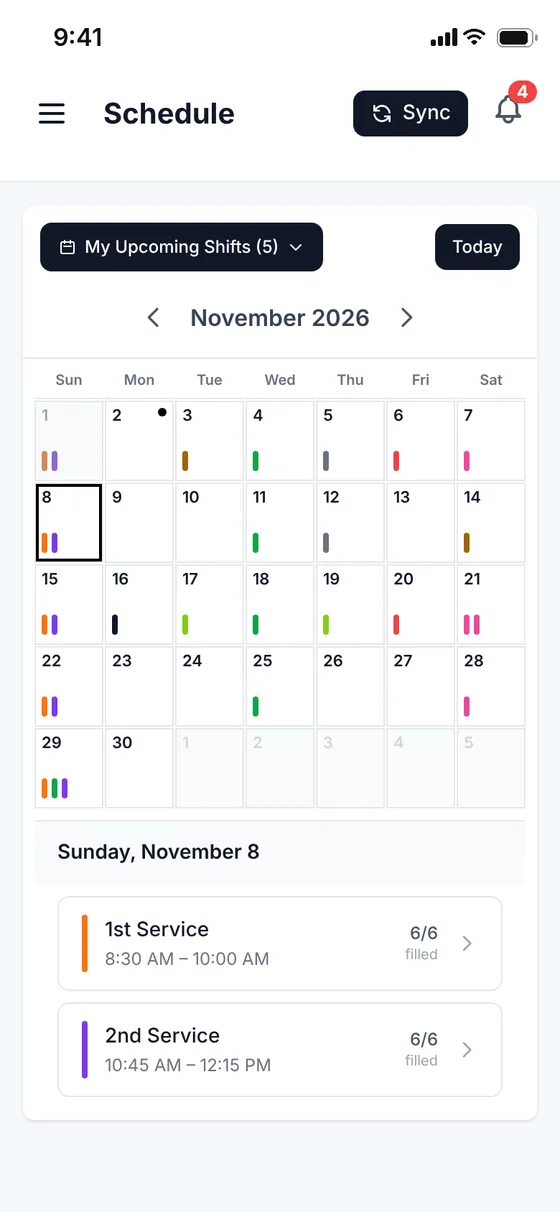
The Schedule screen in the ChurchSecurityPlanner app

Incidents

Every incident, documented

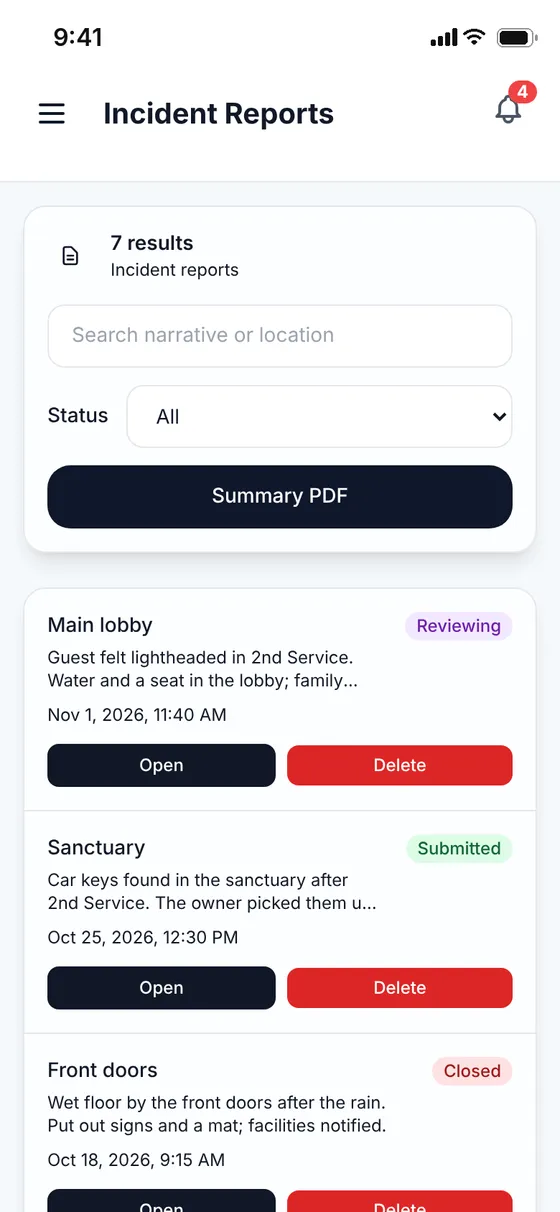
Timestamped reports with location, narrative, photos and resolution status. A written record, not a memory.

  • Admins are notified when a new incident is reported.
  • Changes to incident reports, watchlist entries, team membership, profiles and shift assignments are recorded server-side.
  • Church admins review team activity in the Activity Log, which keeps about 12 months.
  • Server-side change records are kept 24 months.
The Incident Reports screen in the ChurchSecurityPlanner app

Watchlist

Shared awareness for persons of concern

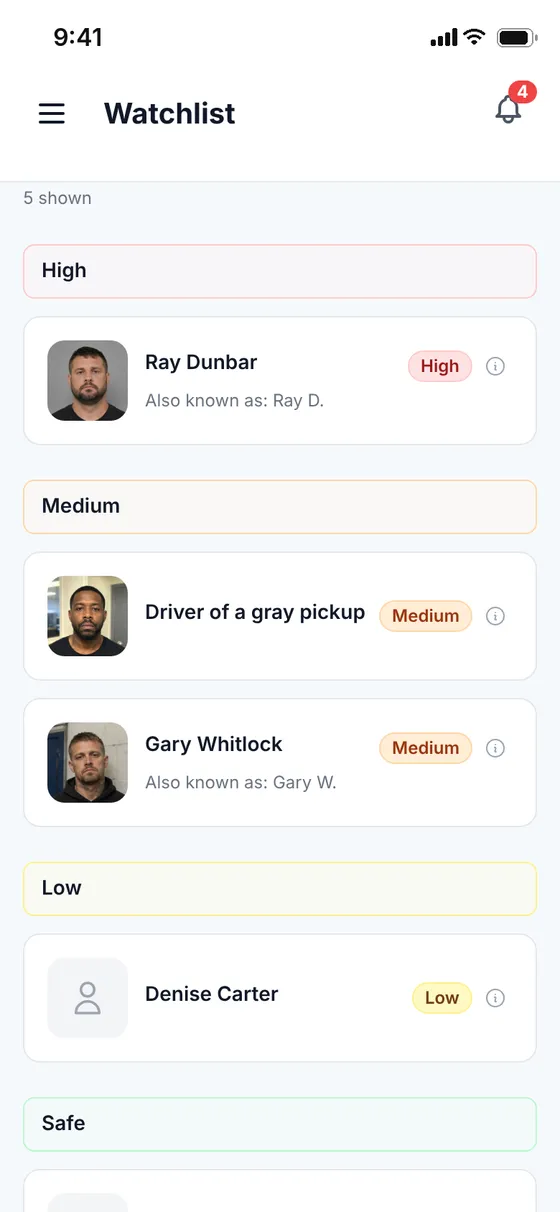
Admins record who to watch for and how urgent it is, then alert the team. Color-coded severity tells volunteers how to respond.

  • Administrators create and manage Watchlist entries, and every member of your team can view them.
The Watchlist screen in the ChurchSecurityPlanner app

Accolades

See who is trained, at a glance

Record training and certifications, then see at a glance who is qualified for each post.

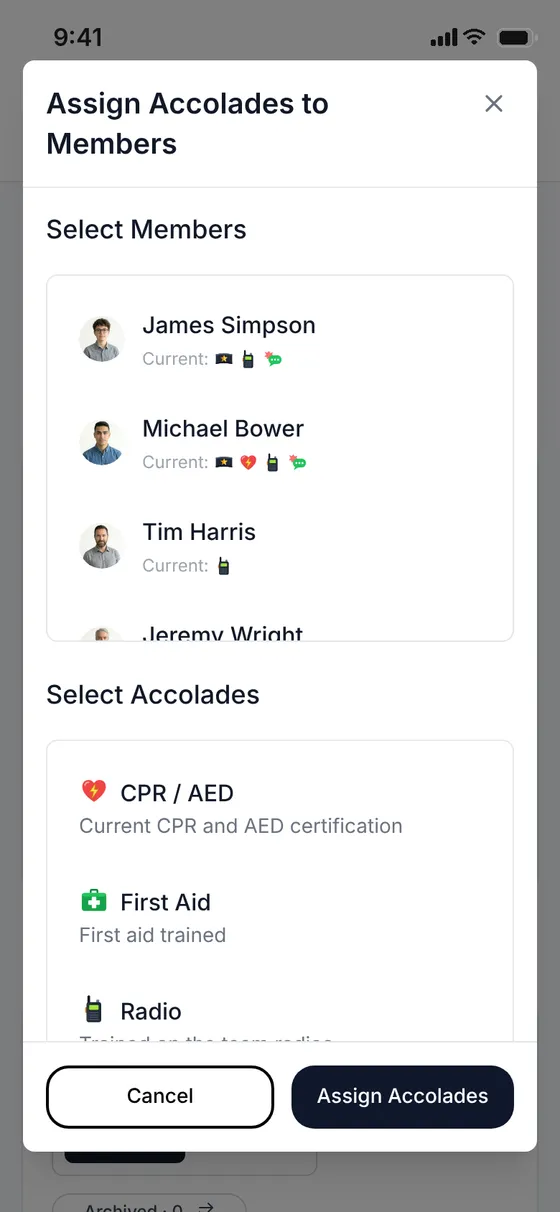
  • Create an accolade for each certification your posts need, such as CPR / AED, First Aid or Radio.
  • Assign an accolade to several members at once.
  • Each member’s accolades show on their card in Team.
  • Qualified slots require an accolade; once it expires, its holder can no longer sign up for those shifts.
The Assign Accolades to Members dialog in the ChurchSecurityPlanner app
“Excellent way to communicate and plan for the safety of a church body.”
Ethan Carey · Google Play review

Questions, answered.

How does a qualified slot work?

A qualified slot on a shift requires an accolade, such as CPR / AED. Once a member’s accolade expires, they can no longer sign up for shifts that need it.

Who can see the Watchlist?

Administrators create and manage Watchlist entries, and every member of your team can view them.

Is there a record of what changed?

Yes. Changes to incident reports, watchlist entries, team membership, profiles and shift assignments are recorded server-side, and church admins can review team activity in the Activity Log. The Activity Log keeps about 12 months; server-side change records are kept 24 months.

Give your team one place to look.

Start a 14-day free trial, invite your team, and build next Sunday’s schedule in it.