Your shifts and your team, in your pocket.

ChurchSecurityPlanner runs natively on iOS and Android, so the platform your team uses on Sunday morning is in your pocket all week.

Get the app

Download the app, then sign in with the invite your administrator sends.

Watch the walkthrough

The My Shifts screen in the ChurchSecurityPlanner app

Schedule

Know where to be, every week.

My Shifts lists every shift you’re assigned, with its time, your role and its posts. Past shifts and trade requests are a tab away.

  • Set your availability for each day, and your administrator schedules around it.
  • Where your church uses check-in, you check in and out of your shift; it opens 30 minutes before.
  • Shift assignments arrive as push notifications.
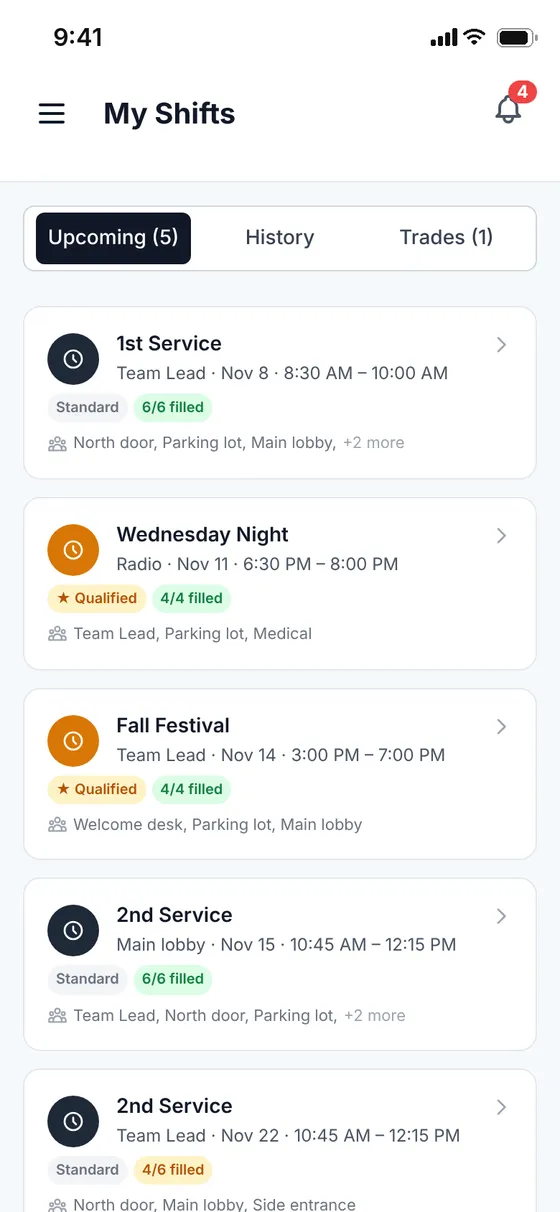
The My Shifts screen in the ChurchSecurityPlanner app

Shift trades

Can’t make it? Trade the shift.

When your administrator turns on shift trades, you can trade a shift with a qualified teammate (both of you must hold the post’s required training) and track the request from your phone, instead of texting around for cover.

  • Trades close 24 hours before the shift.
  • Your incoming and outgoing trade requests stay in one inbox.

Messages

No more group text chaos

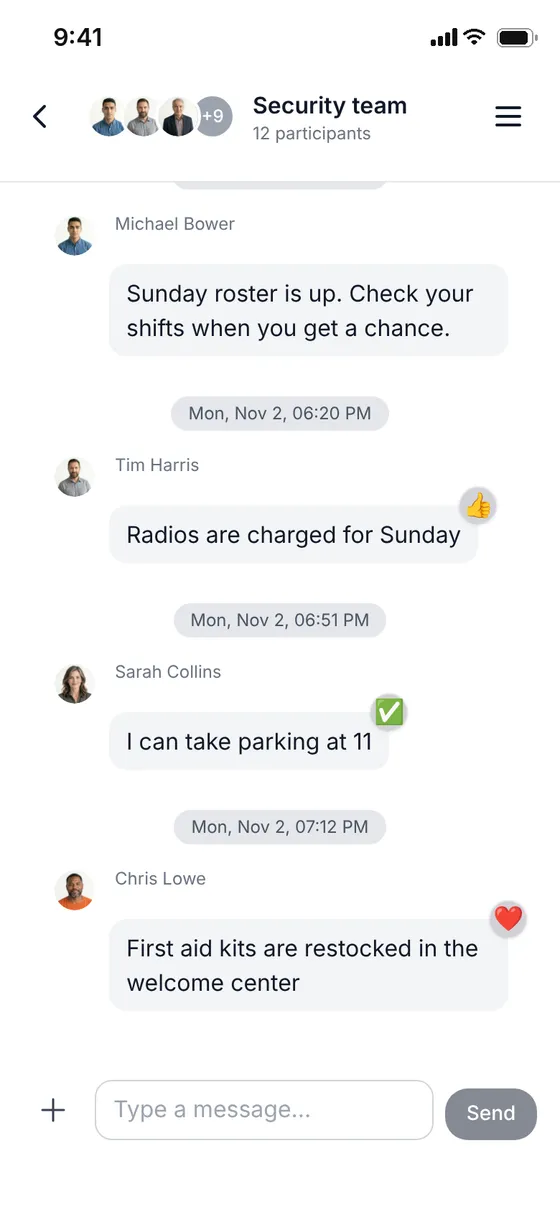
Team channels replace the group text. Send updates and share photos.

  • Group channels and direct messages in one place.
  • Share photos, files and updates.
A Security team chat in the ChurchSecurityPlanner app

Calendar

The month, at a glance.

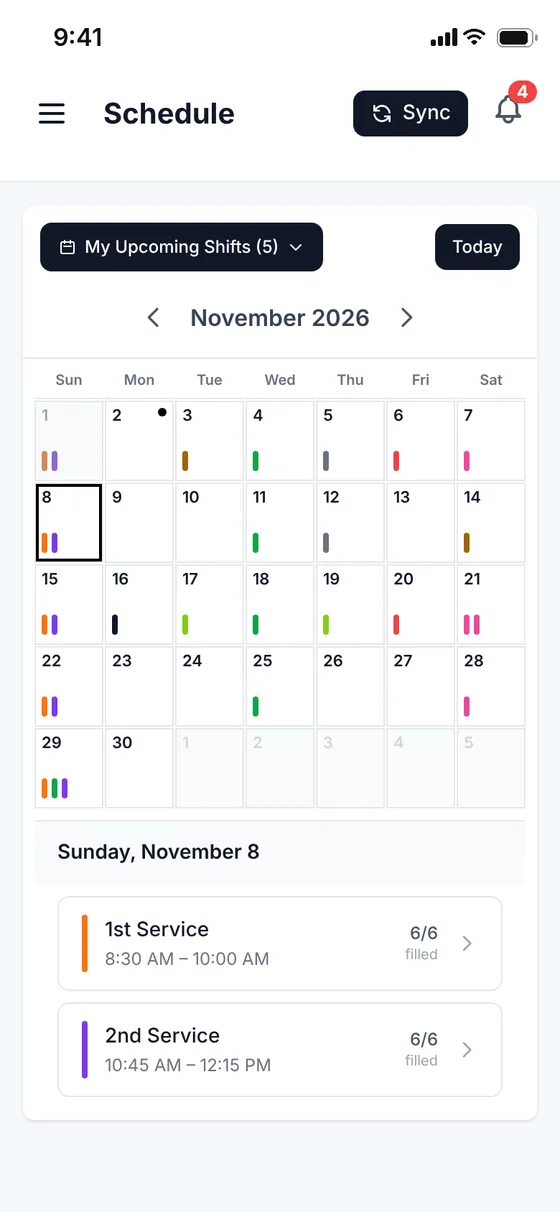
The Calendar puts every service on a month view. Filter it to your own upcoming shifts, and tap a day to see its shifts and how full each one is.

The Schedule screen in the ChurchSecurityPlanner app
“Quick, easy to use, efficient, and necessary for any team to use. Thanks to the developer.”
xhitskwadx · App Store review

Questions, answered.

How do volunteers see their schedule?

In the app on iPhone or Android. Set your availability for each day, and your shifts and assignments are on your phone; new shift assignments arrive as push notifications.
Can I trade a shift?

When your administrator turns on shift trades, you can trade a shift with a qualified teammate. Trades close 24 hours before the shift.

How do I get access?

Download the app, then sign in with the invite your administrator sends.

Get the app before Sunday.

Sign in with the invite your administrator sends, and your shifts and messages are on your phone.

Download on the App StoreGet it on Google Play

Setting up a new team? Start free trial