
What a Safety Team Needs Software to Do
A church safety team is mostly volunteers with other jobs. The software should save them time, or the team will go back to texts and a shared spreadsheet.
If you search for church safety software, secure church software or church safety management software, you will find tools that do very different things. Start from the work your team does each week, not from a feature list.
I served on a church security team before I built ChurchSecurityPlanner. These are the jobs I would want covered.
Think about who will use it. Ask them, too. The team lead builds the schedule and reads the reports. Volunteers want to see their shift on a phone and get a message without a login they forget.
Bring a volunteer or two into the choice. They will tell you quickly whether a screen makes sense on a phone in a hallway.
A software choice also outlasts one lead. Pick something a new lead can learn in an evening, because teams change faster than tools do.
Here is each job, in the order most teams feel it. Under every one is a plain description of what to look for.
Not every church needs all of them on day one. A team of six may only need a schedule and a way to message. Add the rest when you feel the need, and ask now whether the vendor can grow with you.
Scheduling
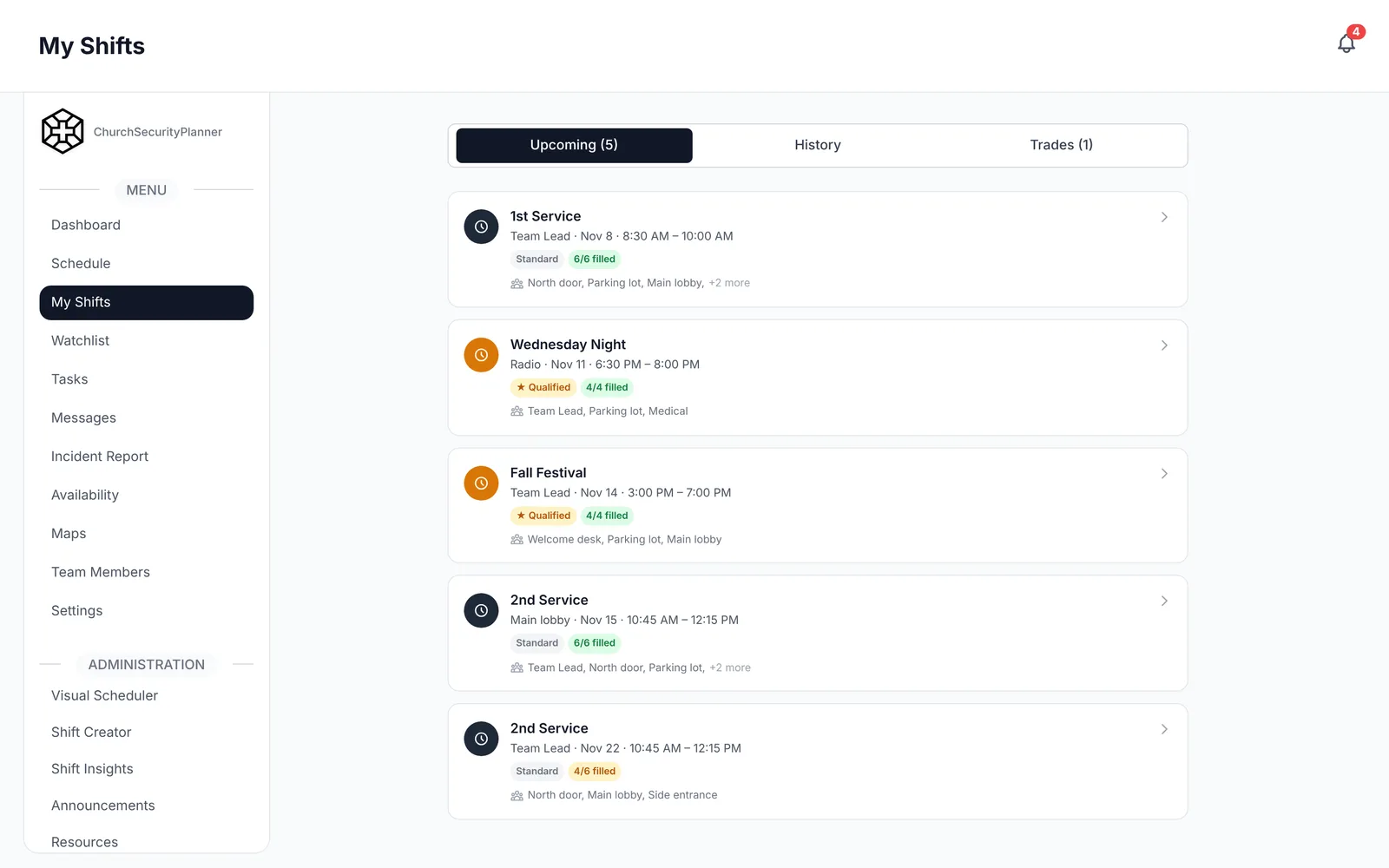
Volunteers should be able to say when they are free, see their shifts and trade with each other. The lead should see at a glance which posts are filled for Sunday.
For a paper version to start from, see our security team schedule template.
Team communication
The team needs one place for direct and group messages, so they are not scattered across personal texts. It should reach people on their phones without them opening a program. Our guide on team communication covers radios and phones.
Incident reports
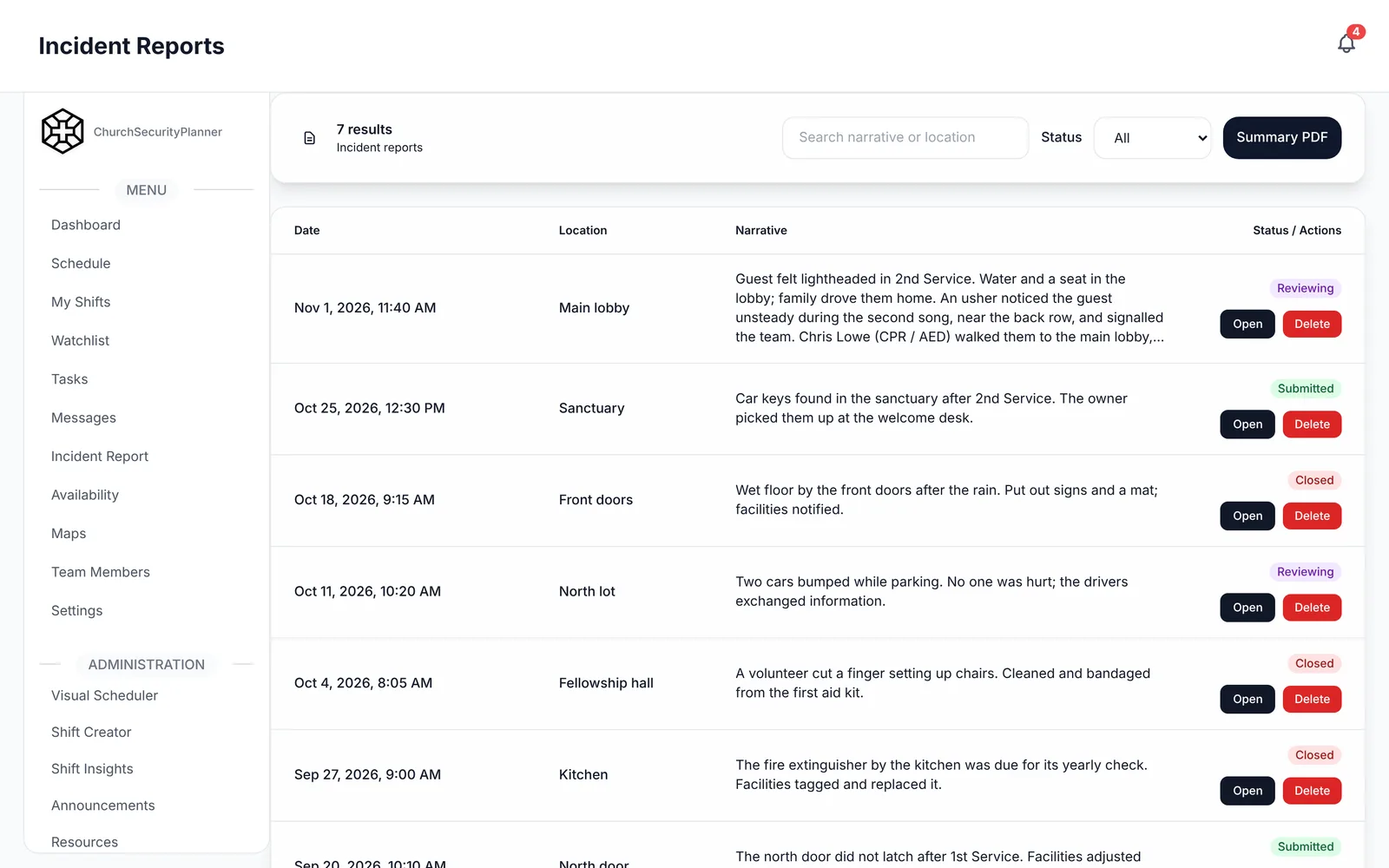
When something happens, a volunteer should be able to write it down that day: what, where, who was there, and what was done. The report should have a status and a way to follow up, so it does not get lost.
Our incident report template shows what a good report captures.
Whatever you choose, ask who on your team will own the reports. A report nobody reads is just a file, so name a person and a weekly time to look.
Records of training
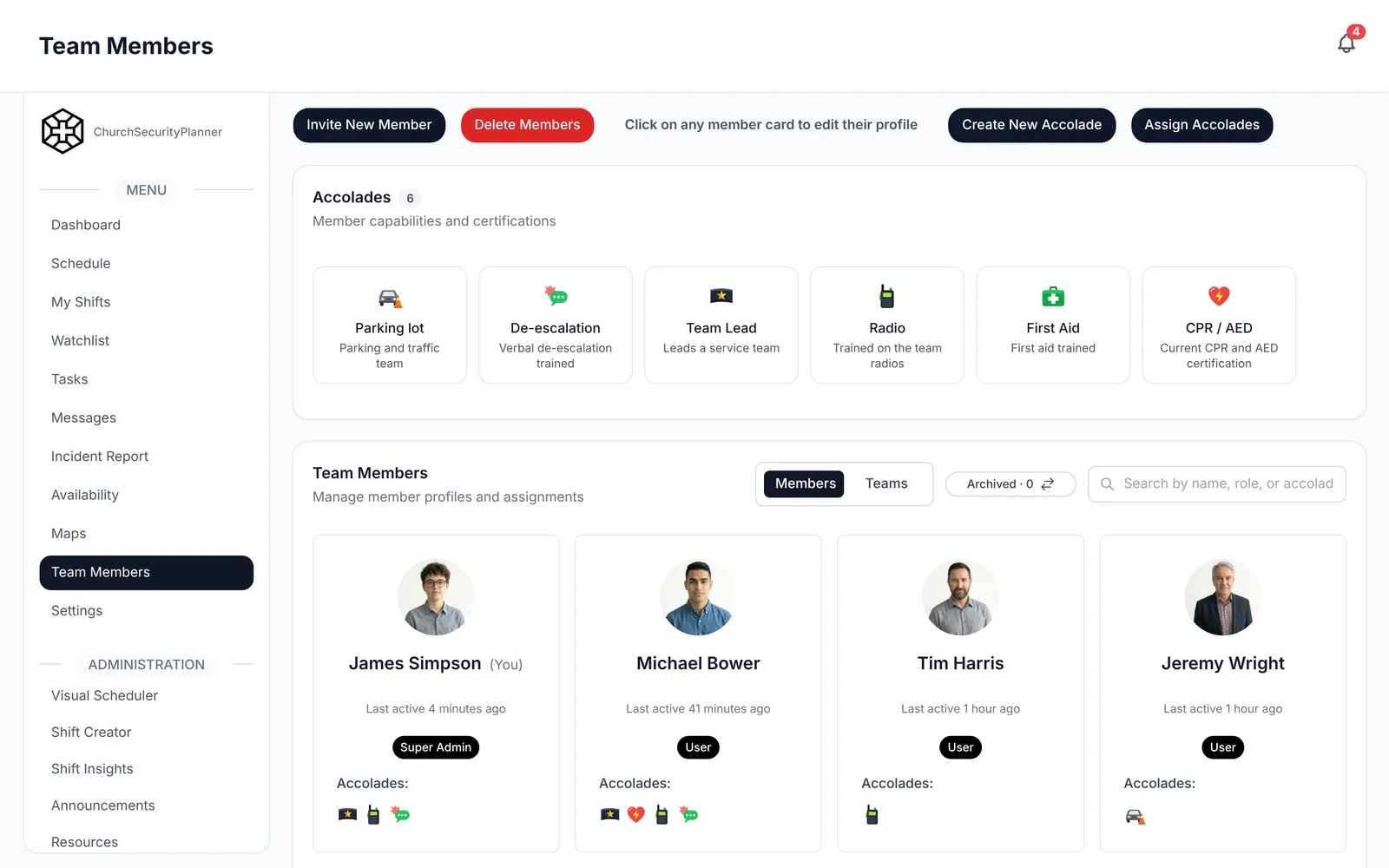
Teams want to know who has taken which training and when it needs renewing. A record in one place beats a folder of papers.
A shared watchlist for persons of concern
Some churches keep a short list of adults the team should know about, so every volunteer sees the same information. If you keep one, decide who can add names, who can see it, and who reviews it. Check your state's rules and talk to an attorney licensed in your state.
Written plans in one place
Your plan, your policies and your Sunday checklist should live where a volunteer can open them on a phone, and where there is one current copy.
How to Compare Vendors
Pick the three or four jobs that matter most to your team and ask each vendor to show you those jobs, on a real screen, not a slide.
Try the product with two or three volunteers during a trial. A tool the lead likes and the volunteers will not open does not help.
Write the answers down in the same format for each vendor, so you can lay them side by side. The questions below are written for that.
ChurchSecurityPlanner covers scheduling, team messaging, incident reports and a shared watchlist in one app, on web, iPhone and Android, and every plan starts with a 14-day free trial.
Questions to Ask Any Church Safety Software Vendor
Copy these into a document and fill in each vendor's answers. Each question is for the vendor to answer, not for us to answer for them.
This is an example to adapt to your church.
Scheduling
- Can volunteers enter when they are available?
- Can the lead assign people to named posts for each service?
- Can volunteers trade shifts, and does the lead approve it?
- How are volunteers reminded of an upcoming shift?
Messaging
- Is there direct and group messaging inside the product?
- Do messages reach a volunteer's phone as a notification?
- Can someone without the app still be reached? How?
- Who can start a group, and who can see a conversation?
Incident reports
- Can a volunteer file a report from a phone?
- Can we attach photos or files, and add comments later?
- Does each report have a status and a follow-up record?
- Can we search and filter old reports?
Training records
- Can we record each volunteer's trainings, with dates?
- Can a post on a shift require a training?
- Can we attach a document to a volunteer's profile?
Who can see what, and roles
- What roles exist, and what can each role see and change?
- Who can see incident reports and any watchlist?
- Can one church see another church's information? How is that prevented?
- What happens to a volunteer's access when they leave the team?
Data
- Where is our data hosted?
- Can we export all of our records, and in what format?
- What happens to our data if we cancel? How long is it kept?
- How do we ask for our data to be deleted?
Devices
- Does it work in a web browser?
- Is there an iPhone app, and an Android app?
- What does a volunteer with an older phone use?
Price and trial
- What does it cost for a team of our size, per month and per year?
- Is there a free trial? How long, and is a card needed?
- Are there fees for extra volunteers, storage or campuses?
- What is the contract term, and how do we cancel?
Support
- How do we reach a person, and how fast do they reply?
- Is there help to set up our team and import our volunteers?
- Who do we call about a problem on a Sunday?
After You Pick One
Pick a date to review the choice, about three months in. Ask the team whether the schedule is accurate, whether messages are being read and whether reports are getting written.
If the answer to any of them is no, find out why before you blame the tool or the people. Often it is a missing habit, like nobody being named to check the reports each week.
Start with one team and one service. Get the schedule and messaging working first, then add incident reports and training records.
Hold a short meeting to show volunteers how to open the app, find their shift and send a message. Ask for their feedback after a month.
For the wider picture, see the church security team software guide and the church security planning guide.
Trenton J. Reagan is the founder of ChurchSecurityPlanner, a former youth pastor and church security team member. He was trained in church protection protocols by law enforcement and military professionals and has a lifelong background in firearms training and tactical preparedness. ChurchSecurityPlanner was built in response to a direct request from his father, Pastor Clint Reagan of Calvary Chapel Knoxville — a congregation of 5,000 — who needed a comprehensive tool to manage his security teams.